Reflections Project Introduction
If the images do not display below,
On a Mac, press Command + (plus) then press press Command – (minus)
On a PC, press the Ctrl + (plus) then press the Ctrl – (minus)
The Senior Reflections Unit asks student to consider who they are, and what kind of imagery reflects them. By diving into our various identities and aspects, we can truly let our creativity thrive, and by looking towards our past, we can pave our own futures. Students strengthen their skills on platforms such as Adobe Photoshop, Illustrator, After Effects, Premiere Pro, Substance Painter, Avid Pro Tools, Autodesk Maya, ZBrush, HTML/CSS/JavaScript, WordPress, and Google Apps.
Introduction to Mandalas
The Mandala project teaches students how to express themselves creatively through the use of repetitive patterns and colors. Using a combination of Adobe Illustrator, Adobe Photoshop, Affect Effects, and more, students can become more comfortable with technology and gain new skills in creative digital platforms. Students produce a Black and White Mandala, a Colored Mandala, and a video showing the various steps they took to construct their final artpiece.
My Personal Mandalas


I created this black and white mandala on Adobe Illustrator. I programmed the repeating patterns and then freehanded designs using the Wacom tablet. I really struggled at first to think about what might represent me. Ultimately, I chose to create flowery swirls, scribbles, and dots to represent my creativity and freedom. I am not someone who confined themself to arbitrary standards, and thus neither does my mandala.
I found the pressure-sensitive brushes to be really fun, since I usually stick to very basic tools when using Adobe. It made it a lot easier for me to put my ideas down the way I wanted them, and overall contributed to making my piece much better. I became more confident in my digital art skills after completing this project.
I am very proud of the work I put into my mandala, and think that the end result really represents me as a person. I have gained knowledge in my Illustrator skills which I will continue to apply to future projects.
I was really excited when I saw the final result of my laser mandala. After putting in so much hard work and having to learn a brand new set of skills, it was really cool that my project ended up looking so good. I think that both versions of my art contain different aspects, but overall my engraved art was very similar to the digital version that I rendered for printing.
I chose acrylic because I wanted my mandala to be lit up. I had also seen other seniors make their mandala this way in the past, and it always turned out really good. I really like having the option of customizing the color, and how it glows in the dark.
After I saw my printed mandala, I was really proud of the work that I put into this project. This project was a lot of work, but I think I took away valuable skills and perspective on it. I gained new knowledge in Photoshop and Illustrator, which I can utilize on future projects. I am the most proud of my lasered final product, product, since it is a physical reflection of all of my hard work. It changed the way that I view digital art and repeating patterns, and I would love to continue making mandalas someday!

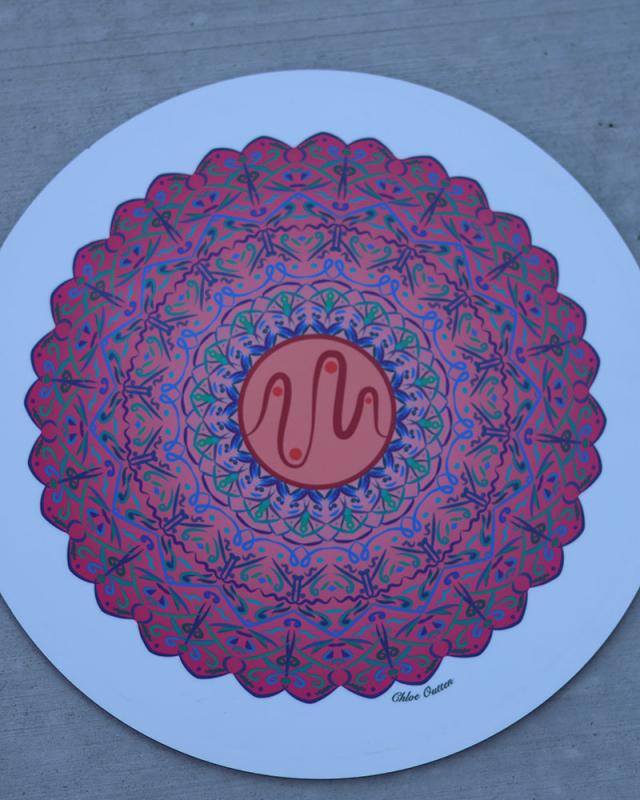
For my personal mandala, I learned to use Adobe Illustrator to automate a circular-design pattern. At first, it was a struggle to figure out how to get the platform to work the way I wanted it to, and I ran into several bumps along the road. However, I eventually learned how to program each individual section, and to make my mandala look the way I wanted it to.
For this project, I took my original black-and-white mandala and added color to it. This version differs from my monochrome one because it includes more creativity and detail than the previous. I was able to add a lot of things that I previously was not able to, such as unique fills and gradients. This allowed me to make a piece that felt fresh and was a reflection of me as a person.
I wanted to include lots of different colors, including ones that clashed. It was important to me that my piece included pinks, reds, blues, purples, and more. I see this mandala as a reflection of my mood and mindset, which are ever changing. I wanted a unique mix of hot and cold colors, which contrast between the lines and background.
Working with color forced me to think more deeply about my patterns and how I wanted them to look. When it was just black and white, I could just draw however I thought looked good, but color required more pre-planning. I’m really happy with my final project and really enjoyed the process of coloring it!
Mandala Reveal Video
For my reveal video, I used Adobe After Effects to construct a walkthrough of each step of making my drawing. This was one of my first times using After Effects for a larger project, and my very first time using it to create a whole video since my default is Premiere Pro. It was a lot of fun to program the different parts of the video, and I had a lot of fun using a new platform to do it!
I was really excited when I saw the final result of my laser mandala. After putting in so much hard work and having to learn a brand new set of skills, it was really cool that my project ended up looking so good. I think that both versions of my art contain different aspects, but overall my engraved art was very similar to the digital version that I rendered for printing.
I chose acrylic because I wanted my mandala to be lit up. I had also seen other seniors make their mandala this way in the past, and it always turned out really good. I really like having the option of customizing the color, and how it glows in the dark.
This project was a lot of work, but I think I took away valuable skills and perspective on it. I gained new knowledge in Photoshop and Illustrator, which I can utilize on future projects. I am the most proud of my lasered final product, product, since it is a physical reflection of all of my hard work. It changed the way that I view digital art and repeating patterns, and I would love to continue making mandalas someday!
Why I Read Essay
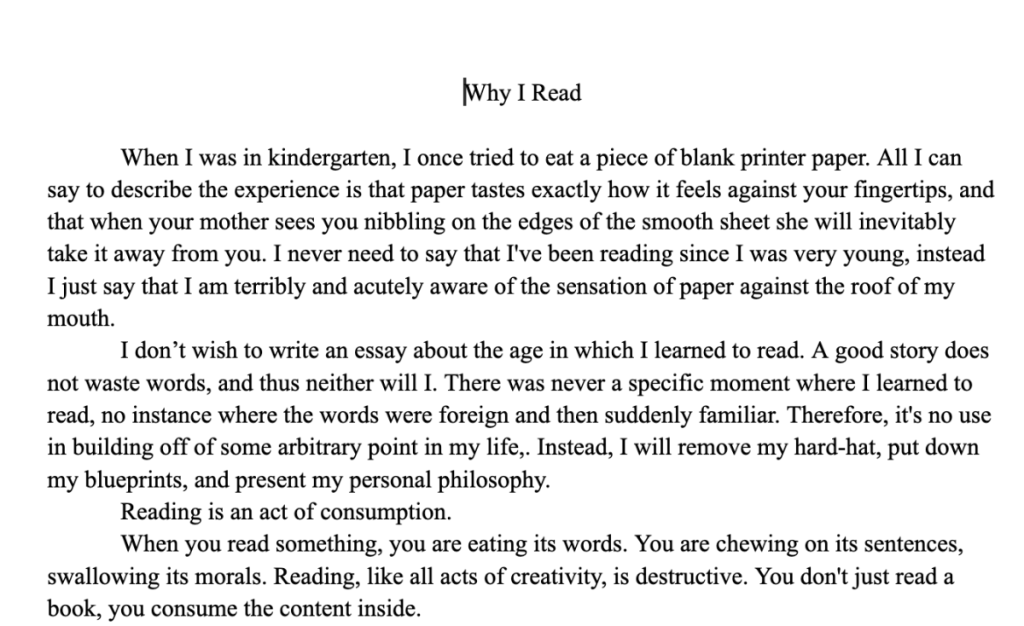
In English, students were instructed to reflect on the question, “Who am I?” Using writing, reading analysis, and more, students sought to root themselves within a wider world, both through their internal selves and through creative pursuits. In class, I reflected on my media consumption and my own creative process through creative writing, reading short stories, and receiving feedback from my peers.
After reading “Positive Obsession” by Octavia Butler and “Why I Write” by George Orwell, the class was assigned to come up with their own reasons for why they are creative, focusing on a pursuit of their choosing. For me, I chose to write about why I read. Although reading is not typically considered a creative act, my essay attempts to argue that it is indeed an act of creation and explain my personal motivations and experiences surrounding it. As I moved through this project, I gained valuable insight into one of my favorite hobbies and was able to better reflect on the content that I consume.
Humor Video
In film, students were instructed to explore a previously unfamiliar film genre – humor. Although I had made short films that had the occasional joke in them before, creating a project solely dedicated to making people laugh felt like a daunting challenge. Using tools such as Premiere Pro, our class was given the freedom to pitch, write, direct, and edit a funny short film. For my project, I focused on something in my life that was a constant source of humor: my dog, Pom Pom. I couldn’t count the number of times that I had invited my friends over, only for my dog to jump on them and be a bother. This sparked the inspiration I needed to make my project Crusty, about a guy trying to get the girl, but there’s a crusty dog in the way.
1 Minute Collaborative Video
For this project, seniors worked in groups to storyboard, film, and edit a project, with the catch that each time we moved to the next thing, we switched to the other groups work. It was really fun to be able to edit someone else’s work with fresh eyes, and to eventually get ours back as a collaborative project that the whole class participated in. I was able to sketch, act, film, and edit a variety of projects over the corse of this assignment. i definitely learned a lot about teamwork, and about using someone else’s story to your advantage!
1 Period Video
At the beginning of the year, seniors and juniors teamed up to create a short video together, with the prompt of traveling from point A to point B. For our group, we choose to have a girl trying to get water form the water fountain on a hot summer day, played by me. It was a lot of fun to get to work with the younger students, and it was a great way to kick off the year and get back into shooting and editing.
Surround Sound
Seniors used Premiere Pro and the sound setup in the Freestyle Film room in order to learn how to program surround sound into our films. I am not always the best with sound, but I think that I got a lot better over the course of learning how to manipulate sound in this way. I recorded a video of my mother throwing around a bal, and overlayed it with cartoonish sound effects. I was pleasantly surprised with how well it turned out, and it was crazy to hear how it sounded with the Freestyle speakers!
I really valued learning about different genres of film, and being able to express myself in news ways. I learned a lot about filmmaking and production over the course of this unit, and it was a great way to kick off the school year!