Through my learning journey in Freestyle Academy, we heavily focused on the use of Photoshop. A key aspect of photoshop is its wide array of blend modes. The very first few blend modes that were taught consisted of Multiply, Screen, Overlay, and Normal. The Multiply blend mode works by taking the top layer’s RGB and the bottom layer’s RGB and multiplying the values together, which naturally creates a darker image. The Screen blend mode works by inverting both the top and bottom layer’s color, multiplying them together, and then inverting the final output once more. This process creates a lighter image. The Overlay blend mode combines both Multiply and Screen, where the colors above 50% gray use the Screen blend mode and the colors below 50% gray use the Multiply blend mode. The Normal blend mode is the default blend mode, where there is no mixing of colors except when opacity is involved.
With this knowledge, I gained the skill to do basic color correction in a photo, with an example being shown below.

I have also created some more images experimenting with the various blend modes, with an example given below.

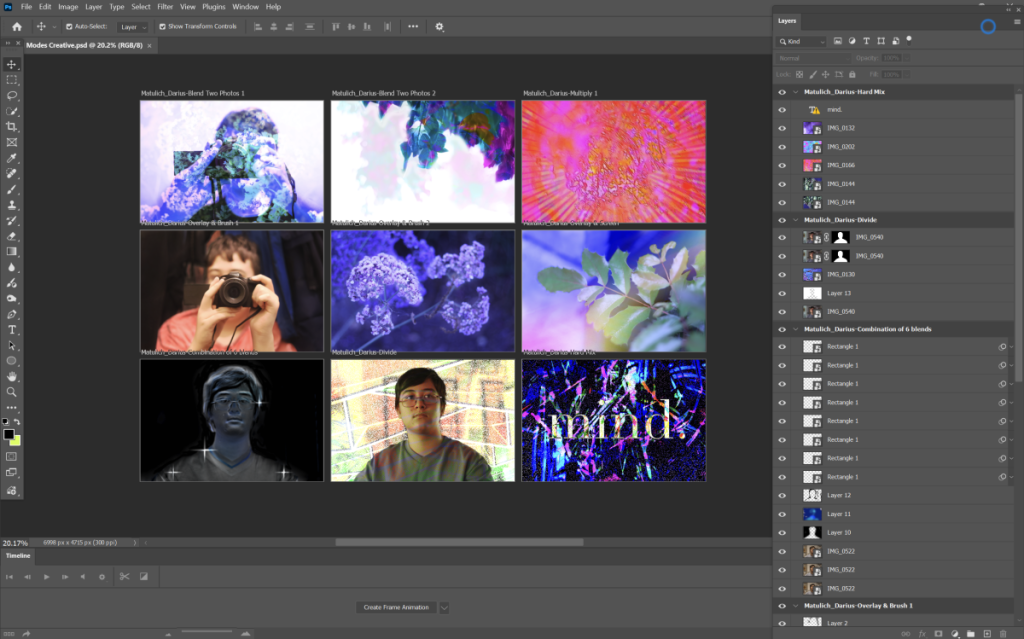
However, there are more to blend modes than these four options. There are plenty to chose from, and while Multiply, Overlay, Screen, and Normal are most often used, I love to use Dissolve, Hard Mix, Soft Light, Darken, and more. The Dissolve blend mode works by creating a noisy pattern depending on how transparent the layer is. The Hard Mix blend mode adds the RGB values in a way that creates only a few highly contrasted and highly saturated colors. The Soft Light blend mode is essentially the same as the Overlay blend mode, but its color curve formula doesn’t create a harsh contrasted look when applied. The Darken blend mode looks at the top layer and bottom layer’s red, green, and blue values, and selects the darkest one. With these blend modes and many more, I was able to create the following nine images.


I attached two screenshots below of the photoshop workspace to make it easier to understand how the creation process actually looked like.

Leave a Reply