This unit centered on one question: how well can you visually tell a structured story?
Through English, Digital Media, and Film, I explored narrative from multiple angles — learning how character, structure, and perspective work together to carry a story forward. Across different mediums, the through-line was the same: every creative choice, whether a word, a sound, or a shot, contributes to how an audience experiences meaning. This unit pushed me to think less like a student completing assignments and more like a storyteller making intentional decisions.

In English, this unit asked me to write a flash fiction story of 500–1000 words, built around a meaningful symbol that deepens the reader’s understanding of character, theme, and conflict. The emphasis was on showing rather than telling — using setting, action, and subtext to carry the story rather than simply explaining it.
My story follows Marlene, a neuroscience student who discovers a book in her university library that seems to already know her — filled with handwriting that turns out to be her own, from a life she has no memory of living. The inspiration came from the idea of confronting an unfamiliar version of yourself, and what it might feel like to have your sense of a safe, predictable life quietly unravel. The library felt like the right setting for that — a place that’s supposed to hold answers, becoming the source of the most unsettling questions.
The writing process involved brainstorming character and conflict, drafting, peer feedback workshops, and multiple rounds of revision — each pass pushing the story to be more visceral and less reliant on stating emotion directly.
After finishing the written draft, I produced an audio version of the story in Pro Tools. The session was built across several tracks: a narrator track for the main voice recording, additional vocal tracks for any extra performance, mono and stereo SFX tracks for sound effects, and a music track layered underneath. The sound effects and music were chosen and spotted into specific moments in the story to evoke an emotional response in the listener rather than just illustrating what was happening — reinforcing atmosphere and tension without overpowering the narration. The final mix was exported and published to SoundCloud.
Short Story Audio Production Artist Statement/ Reflection:
I believe I told my story effectively because the music acted as a ‘ease-in’ to it. While the integration of SFXs allowed the listener to feel more immersed into the fictional environment.
I’m most proud of the music I made for both the beginning and end points for my audio production. I’m also proud of the technical skill I developed in mixing SFXs to create a ‘new’ one for my story.
The Polaroid
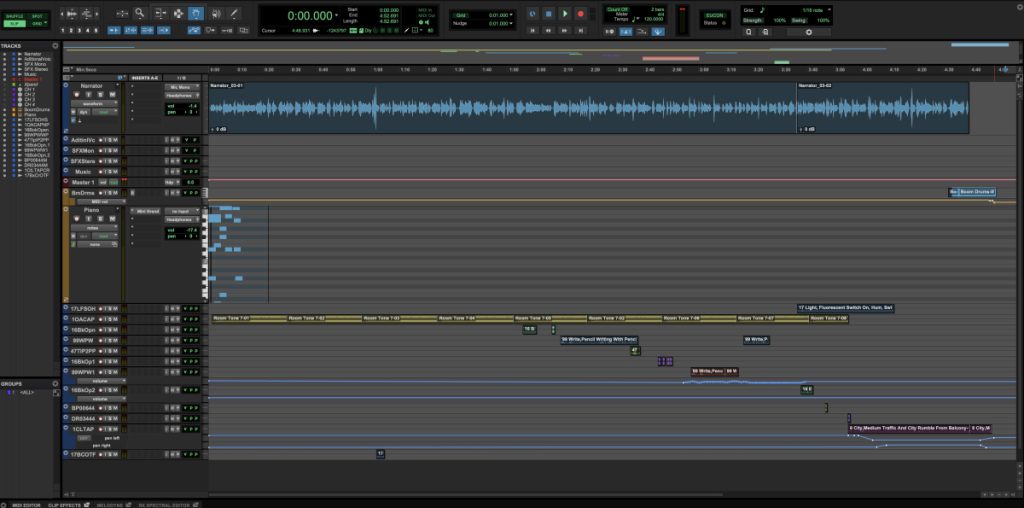
A screenshot of my Pro Tools session for the audio production of my flash fiction story. The session includes a narrator track with two recorded takes, additional vocal tracks, SFX mono and stereo tracks, a music track, a MIDI piano track, boom drums, and multiple layered sound effect tracks — including room tone, writing sounds, and city ambience — spotted throughout the story to build atmosphere.

A screenshot of my Adobe Illustrator workspace showing the album art I designed for my flash fiction story’s audio production. The design features a polaroid photograph — a central symbol in the story — set against a handwritten journal page background, with the title “The Polaroid” and my signature.
Final Takeaways
I believe I told my story effectively because the music acted as a ‘ease-in’ to it. While the integration of SFXs allowed the listener to feel more immersed into the fictional environment.
I’m most proud of the music I made for both the beginning and end points for my audio production. I’m also proud of the technical skill I developed in mixing SFXs to create a ‘new’ one for my story.
I appreciate how the audio-only stories force their listener to use their imagination, they essentially become a co-creator, imagining the environment and the faces of the characters.
In Digital Media, I expanded my skills in Adobe Illustrator, working with vector graphics to create custom illustrations for the unit. This included designing album art for my short story audio production, contributing to a collaborative group Exquisite Corpse illustration, and developing my own original graphic work.
Exquisite Corpse Illustration

“Illustrated Exquisite Corpse” — a collaborative illustration I created with Adriana O and Kristin L in Adobe Illustrator. In an Exquisite Corpse, each artist creates their section without fully seeing the others’, resulting in a surreal, seamlessly connected image. I illustrated the left section — a garden scene with an apple and caterpillar that unintentionally referenced the children’s book The Very Hungry Caterpillar — which ended up connecting seamlessly into Adriana’s body of the caterpillar, and then into Kristin’s vibrant, cosmic swirling landscape. Without planning it, the three sections told a surprisingly cohesive story, taking the character from the familiar into the fantastical.
Short Story Album Cover
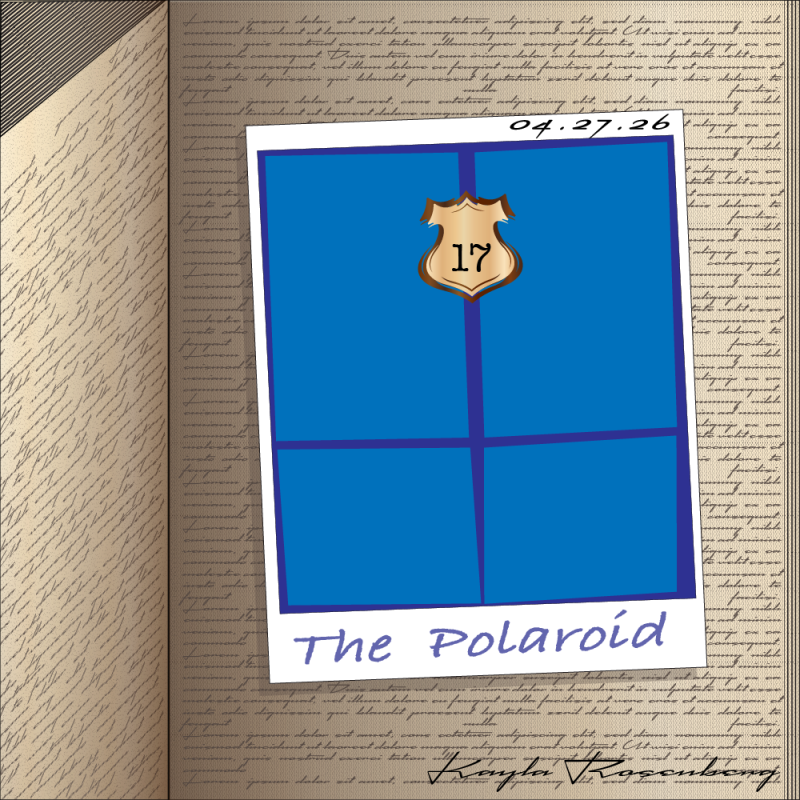
For the audio production of my flash fiction story, I designed custom album art in Adobe Illustrator. The cover centers on a polaroid photograph — the key symbol in my story — depicted as a bright blue door marked with the number 17, which is the door Marlene is searching for throughout the narrative. The polaroid sits against a handwritten journal page background, nodding to the mysterious annotations that drive the story’s tension. The piece is titled “The Polaroid” and signed with my name.
Illustration Project Mug Art
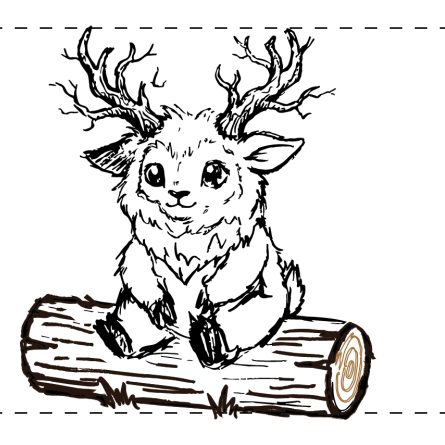
From a rough graphite sketch to a clean vector illustration. After spending months crafting a narrative short film with Ayanna, I wanted to create a standalone piece that honored our character design. It took some serious fine-tuning with path points, layers, and custom stroke profiles in Illustrator to get the branch antlers and textures looking just right, but I love how this little tribute turned out.

After spending months crafting a horror short around the legendary Wendigo with Ayanna, getting to see our custom character design printed on a physical mug is the absolute best feeling. A cozy little reminder of our exhibition screening and the whole filmmaking journey.
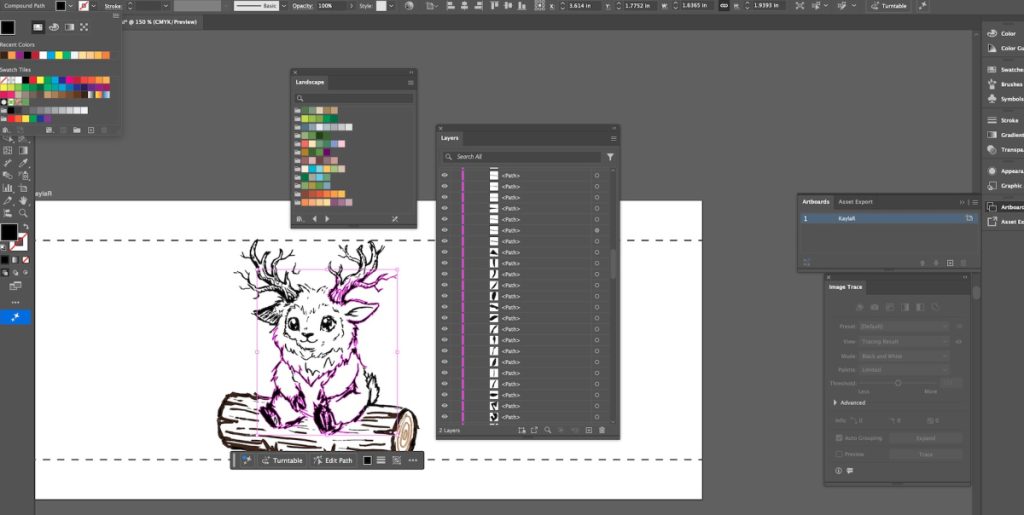
For me, drawing in Adobe Illustrator is a completely different world compared to sketching with a pencil or messing around with photos in Photoshop. When you’re sketching on paper, it’s all about raw texture and immediate, messy lines. Moving that into a digital vector space forces you to completely change how you look at your art. Instead of just drawing lines, you’re suddenly dealing with math—building clean paths and managing anchor points. It was definitely a puzzle to figure out at first, especially when trying to get complex parts of the drawing to line up right. But what I love about Illustrator is that instead of working with blurry pixels, you get these crisp, perfect strokes and fills that you can scale up as big as you want without losing any quality.
I decided to take this digital design and print it onto a ceramic mug, which meant I had to think about how the flat image would wrap around a curved physical object. This project is really special to me because it’s a tangible reminder of a huge creative milestone. My film partner, Ayanna, and I just finished wrapping up a narrative horror film that we got to screen at our exhibition. The character design for this creature came directly from that movie, where we researched Algonquin culture and put our own unique twist on the lore. Creating this vector version felt like the perfect, cozy way to make a lasting tribute to the film and celebrate the screening.
Final Reflections
Working creatively in Adobe Illustrator requires a completely different mindset than working in Photoshop or traditional digital drawing apps. In programs like Photoshop, the process feels intuitive and painterly because you are manipulating pixels; you can smudge, blend, and build up gritty textures much like pushing real paint on a canvas. Illustrator, however, forces you to think like an engineer just as much as an artist. Because everything is built on vector math, you aren’t just drawing a line—you are defining a path, placing anchor points, and manipulating mathematical curves.
At first, that structure can feel incredibly rigid and frustrating, especially when trying to translate a loose, organic pencil sketch into clean geometry. Instead of focusing purely on the flow of the drawing, you find yourself troubleshooting fragmented shards, wrestling with compound paths, and trying to get stubborn anchors to behave. But once you look past the technical hurdles, that crisp precision becomes its own kind of creative freedom. Knowing that a design is perfectly sharp, infinitely scalable, and cleanly constructed gives it a polished, professional quality that pixels just can’t match. It forces you to simplify your shapes and be intentional with every single stroke, turning the digital cleanup process into a rewarding way to sculpt your final vision.

This unit also included two music production projects in Pro Tools. The first was a collaborative recording project where my classmates and I recorded a group cover of “Jingle Bell Rock,” tracking vocals and instruments and mixing them together into a final production. The second was an individual Experimental Music project, where I composed an original piece entirely using MIDI instruments and audio tools in Pro Tools — exploring how music can be constructed and manipulated digitally without any live recording.
Music Recording Project
▶ Jingle Bell Rock
⏸ Jingle Bell Rock

Over Thanksgiving break, my group and I went into the recording studio at Freestyle to record our cover of “Jingle Bell Rock.” It was a really fun experience working in a professional, high-tech studio environment — tracking our parts, hearing the layers come together, and going through the mixing process. Getting to use the space outside of regular class time made it feel like a real recording session, and it was a great way to put our Pro Tools skills into practice in a live setting.


Getting to record a song with all six of us was an incredibly enjoyable and highly valuable experience. We really loved the process of experimenting with different sounds and watching our collaborative ideas evolve into a finished track. It gave us a fantastic, real-world understanding of a professional recording session. We learned a lot about what goes on during a session, seeing firsthand how things like recording microphones and perfectly synchronized headphones are absolutely crucial for ensuring clear communication in the booth. We’re all walking away with practical knowledge that will definitely help us produce much higher-quality work in our future school and personal projects.
Experimental Music Project
▶ Serendipity
⏸ Serendipity
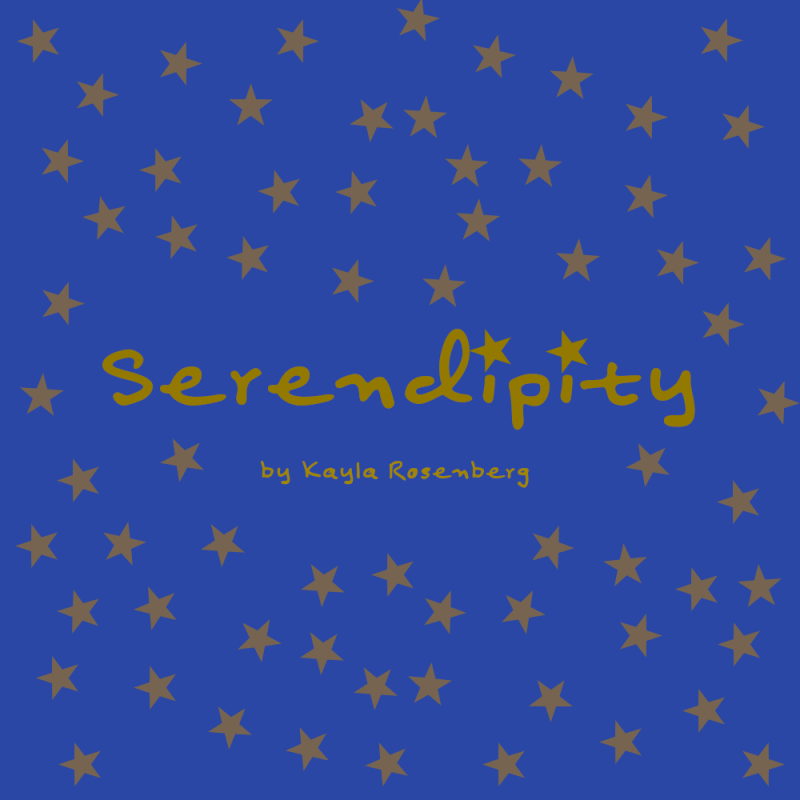
For the Experimental Music project, I composed an original piece entirely in Pro Tools using MIDI instruments and virtual audio tools — no live recording involved. The process started with building a foundation using MIDI tracks, layering different instruments and experimenting with how sounds could interact to create texture, mood, and movement. Rather than following a traditional song structure, the goal was to explore music as sound design — thinking about how rhythm, tone, and atmosphere work together to evoke feeling. It was a different kind of creative challenge than the recording project, pushing me to think about music more as something constructed than performed.
My inspiration for this piece came from wanting to capture a feeling that’s hard to put into words — the moment something heavy finally settles into understanding rather than sadness. I wanted the music to start moody and unsettled, then gradually shift toward peace, like an emotional exhale after a realization. To build that arc, I used muffled percussions and rhythmic ‘pulsing’ patterns to carry the early tension, then layered in softer, more sustained sounds as the track opened up. Most of my choices came through experimentation — trying different instrument combinations and listening for whether they pushed the mood forward or resolved it. MIDI Virtual Instruments made this possible by giving me access to a wide range of textures I could shape to match what I was feeling, all from one session. Though I had little prior music production experience, I’m proud that the final piece tells an emotional story — one that starts in tension and finds its way to stillness.

Final Reflections
Music production was one of the more unexpected parts of this unit for me. The recording session over Thanksgiving was genuinely one of the highlights — being in a real studio with friends made it feel less like a school project and more like something real. The Experimental Music project was a different challenge; working entirely in MIDI meant every sound was a deliberate choice, which was both freeing and overwhelming. What surprised me most was how much music production overlaps with storytelling — you’re still trying to make someone feel something, just with a completely different set of tools.
In Film class, the Narrative unit focused on the craft of visual storytelling — studying how directors like D.W. Griffith and Hitchcock built suspense and guided an audience’s attention without relying on words. We analyzed linear narrative structure and learned how tension, pacing, and continuity work together to carry a story forward.
The challenge was to put that into practice by producing a narrative film with zero dialogue — letting visuals, editing, and sound do all the work. It pushed me to think much more carefully about every shot and cut, knowing that nothing could be explained away with a line of spoken text.
What I valued most from the process was learning how much storytelling happens in the editing room rather than on set. The Hitchcock and Griffith frameworks gave me a real vocabulary for building suspense that I hadn’t had before, and I found myself applying that thinking not just in film but across the other parts of the unit too.
Griffith Scene
A practice scene produced to explore D.W. Griffith’s editing pattern — a technique that uses shot sequencing to build tension and guide the viewer’s emotional response. The scene follows two people in a conversation that escalates into an argument, using cuts between close-ups, reaction shots, and wider angles to create rising conflict without any dialogue carrying the weight.
Suspense Scene
A suspense scene produced using Hitchcock’s approach to building tension — giving the audience information the character doesn’t have, and letting that dramatic irony do the work. The scene follows a student attempting to cheat on a test, using close-ups, eyeline matches, and timed cuts to keep the viewer on edge as the risk of getting caught slowly builds.
Chase Scene
A solo chase scene produced in one week, using my dog and a stuffed toy as the subjects. The scene follows the toy “hiding” from my dog, using quick cuts, close-ups, and camera angles to build energy and movement. It was a fun and scrappy one-week challenge that pushed me to think creatively about how to manufacture tension and momentum with whatever was available.
Narrative Synopsis
An early draft of the narrative film synopsis, developed with my collaborator Ayanna. This version followed a dancer and a puppet connected by strings, exploring themes of control and identity. We ultimately moved away from this concept and developed a new story — following two friends who discover a cursed book that leads them into a forest where they must face a creature. The final film drew more directly on the visual storytelling and suspense-building techniques we studied in class.
Storyboard
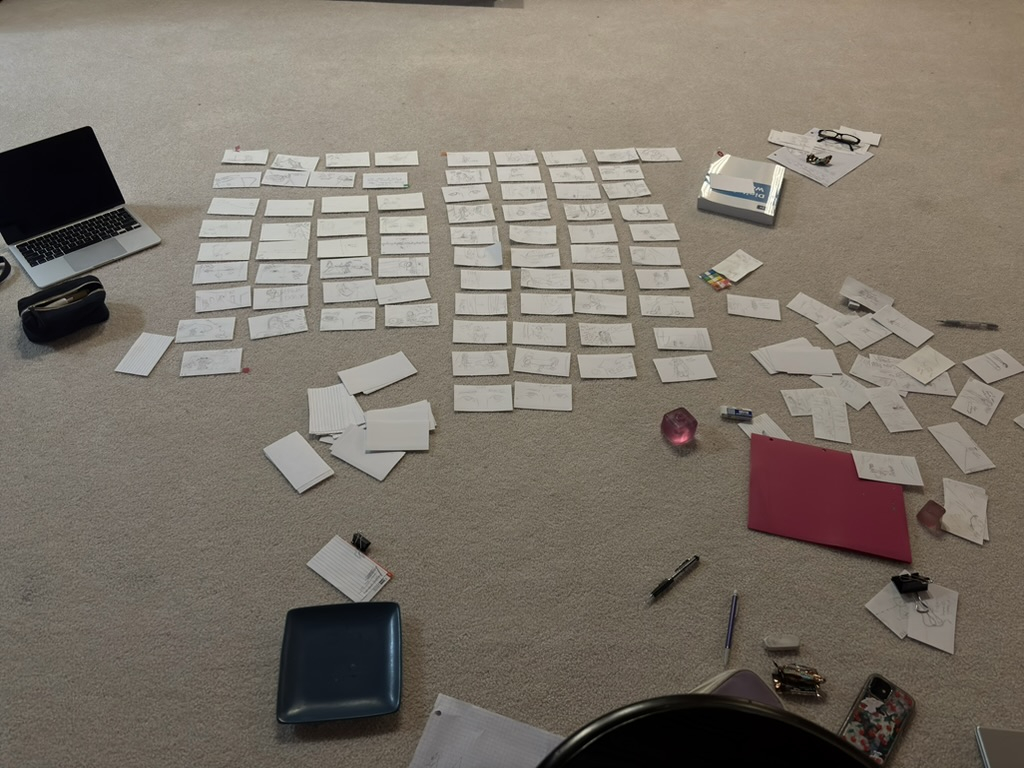

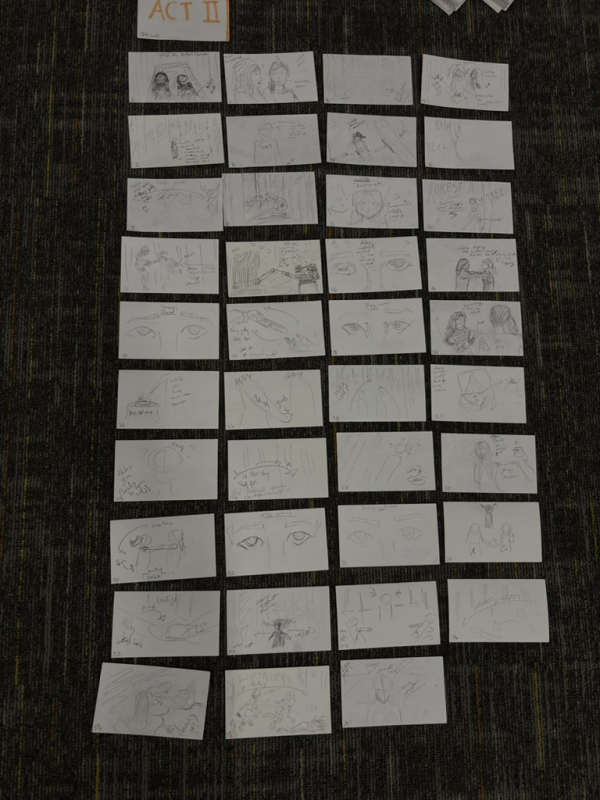

Before any filming began, the entire narrative had to be mapped out through storyboarding — a slow and grueling process that ended up spanning hundreds of index cards. Every shot, angle, and transition had to be planned out in advance, which was tedious but ultimately made the production process much more intentional. It forced us to think like directors before ever picking up a camera, making decisions about framing and pacing on paper before committing to them on set.
JR Narrative Trailer (in progress).
JR Narrative Film: The Blue Sallow