

During the Narrative II unit in animation, we started to learn how to animate the 3D characters that we had modeled. We learned how to do keyframing in Maya( an industry standard 3D modeling software) and how to use Mocap to make our characters move a little more organically by using body tracking software.
3D Character
Prior to this unit starting, we learned how to create 3D character models using Maya, Z-Brush, and Adobe Substance painter.

A little bit of a fun fact: When I was painting FER1N in substance painter, I noticed something weird. The topology of FER1N looked off. That was when I realized that something, somewhere in my process of creating FER1N went horribly wrong. For context, FER1N looked like this:
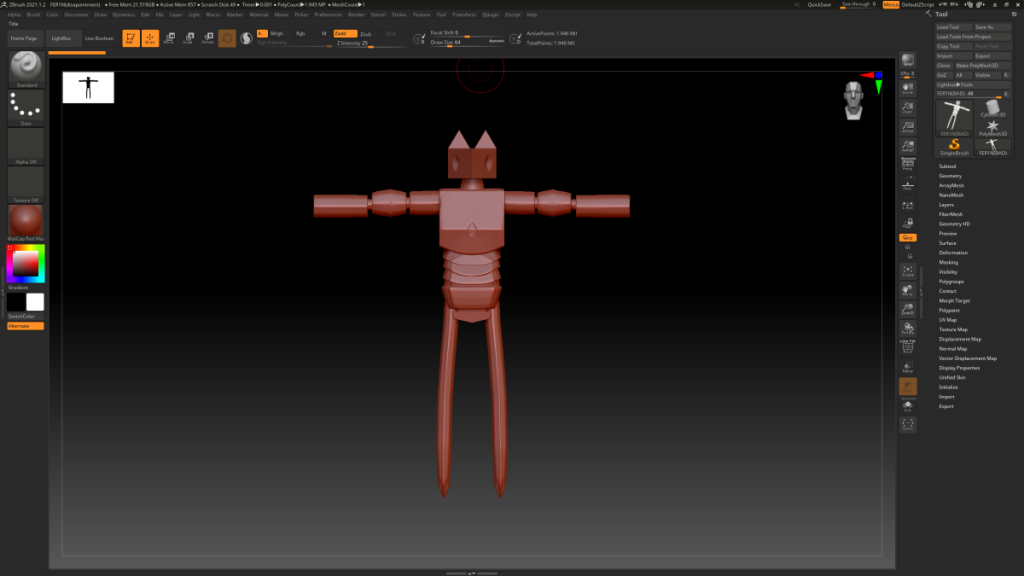
See how FER1N is nice and smooth? Yeah, that didn’t transfer over. Somehow, FER1N’s topology exploded and started clipping through its self. So when I tried to color FER1N in Substance painter, I couldn’t get an even coloring job and now FER1N looks like they have triangles all over.
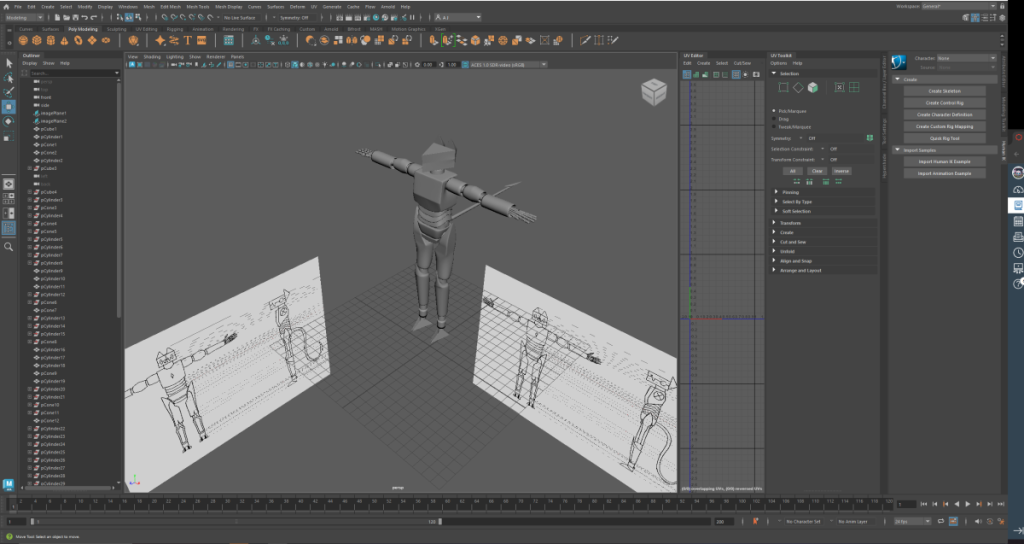
I actually ended up redoing FER1N’s model a bit. I didn’t really have any time to color it so this is the best this version of FER1N that I have. Looking back on it, I think I should’ve skipped using Z-Brush and just chucked the model into Substance Painter.
Animating!
After I created my character, I started doing some basic animation tests in maya. In total, I made 4 animations: a walk cycle, a run cycle, a jump cycle, and a lip sync animation. Honestly, I really enjoyed making these animations.
The topology issues I had are a bit easier to see in these animations.
While I was doing the lip Syncing, I had to fidget with FER1N’s topology because there were overlapping faces and it made it so when FER1N opened their mouth, it would look all weird.
Narrative Project
The absolute LARGEST part of this project was creating a storyline animation with a group. The class was split into groups of 3 and each group had to come up with a short 3D animation. Basically, it was a culmination of our skills that we learned through ought the year. My group elected to create a little chase scene animation.
Pre production
Before we started to animate in 3D, we first had to plan out what exactly we wanted to animate. So, we created what is called an Animatic.
Final Product
Because of the topology issues with my character, I didn’t include FER1N in our production. Instead, i created the background assets, intro, and outro.
Closing thoughts
This was overall a really fun project! I really enjoyed learning how to 3D model things and animate my character! Creating the background for our Narrative video was also really fun because I got to learn more about using Maya.