“How do you ignite your passion and elevate your experiences to create your most successful Freestyle project?”
For our final Freestyle project, we were assigned to create anything we wanted to using the creative skills we’ve developed during the past two years. In the past, students have created pieces like their own short films, animations, music videos, and even works like clothing lines and custom perfumes. It’s meant to be a large final project that we work on for multiple months and present to the entire school once we’re done; it’s way for all the seniors to go out with a bang.
The Process
Initial Idea
Way back during the Reflections unit, we were assigned to create a character head to practice using ZBrush to add texture to 3D models. While I was creating mine, I struggled was struggling to get the mesh to move the way I wanted to. I ended up sculpting the entire head in only a single class period, and hated it so much I jokingly said:
“I want to make him fall off a cliff.”
So, here I am making that happen through my Zenith project.

Of course, I needed more to the project than just animating this bodiless head fall off a cliff. I decided to 3D animate this character in the 3D application Blender, where I could complete all the steps in a single application. Blender also has a unique tool called Grease Pencil which allows me to draw 2D lines onto 3D objects. It’s usually used for 2D animation, but I thought it would be interesting to combine 2D and 3D animation with this tool, similarly to how animations like the Spiderverse movies and Arcane are animated.
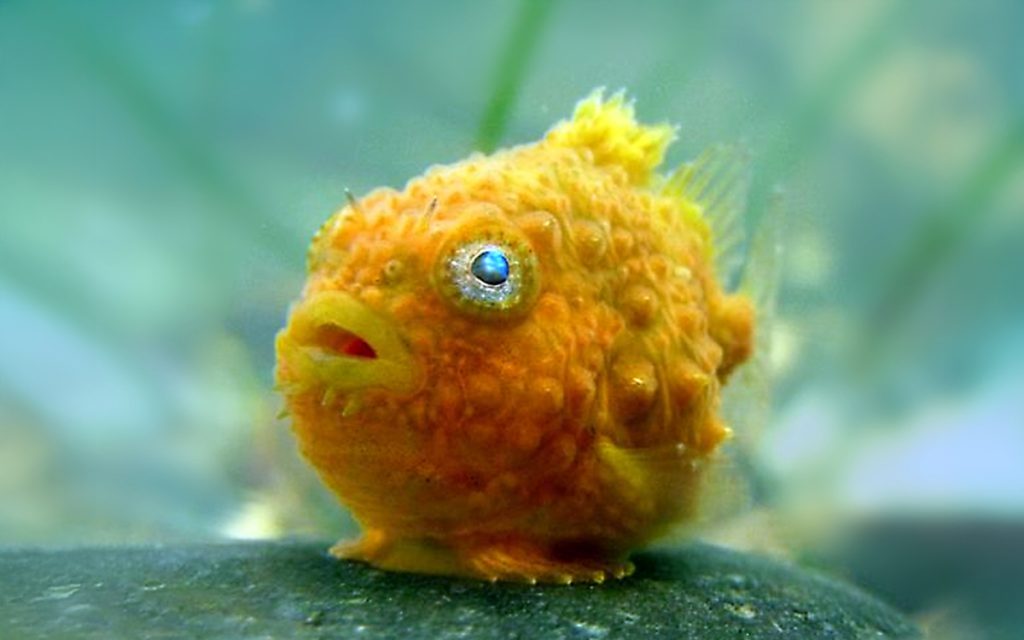
I began drafting concepts to create a new, cleaner model that could be used in Blender. I decided to base my character on the ugliest fish I could find: a spiny lumpsucker fish. Initially, I gave him a full body with legs, arms, and clothes. Later, I decided to simplify his design to make the modeling and rigging process easier since I was using a new application I wasn’t as familiar with as Maya.


After finalizing my concept, I began storyboarding a simple storyline, where my fish character, who I decided to name Jeremy, would be flung off of a cliff.


Blender and Grease Pencil
Thankfully, the first step of modeling was simple. Already knowing how to model in Maya was a big help in learning Blender. All it really was was learning the different buttons for the tools to model. I used geometric shapes to create a simple model of Jeremy, using his concept art in the background as a reference. I added a subdivision modifier, which divided all the faces, and set the display setting to smooth so the vertices edges were rounded and his shape was more organic.


Next, I combined all the separate objects and began sculpting. This part went fast, thanks to the simplicity of the model. I used my original character head and photos of spiny lumpsucker fish as references for all the wrinkles, texture, and general shape.
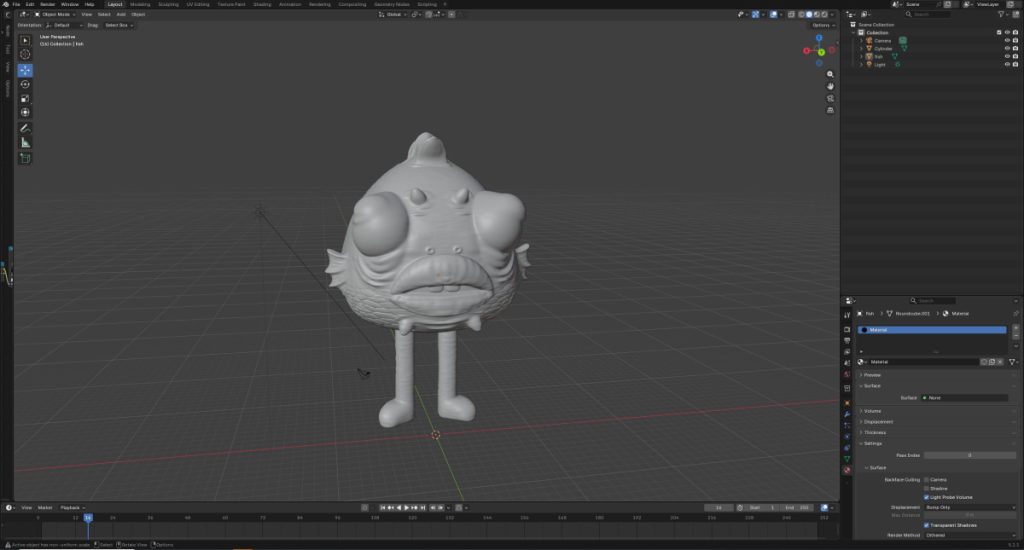
Once I finished, I used the shade editor to add a constant color ramp, creating a cartoon-like effect on my chosen colors. I thought this would add to the 2D look. However, I decided that the sculpted texture was a bit much when combined with the toon shader. I ultimately decided to use the simpler unsculpted model instead. I think this makes Jeremy’s design cleaner, while still giving him the ugly and pathetic vibe I was going for.
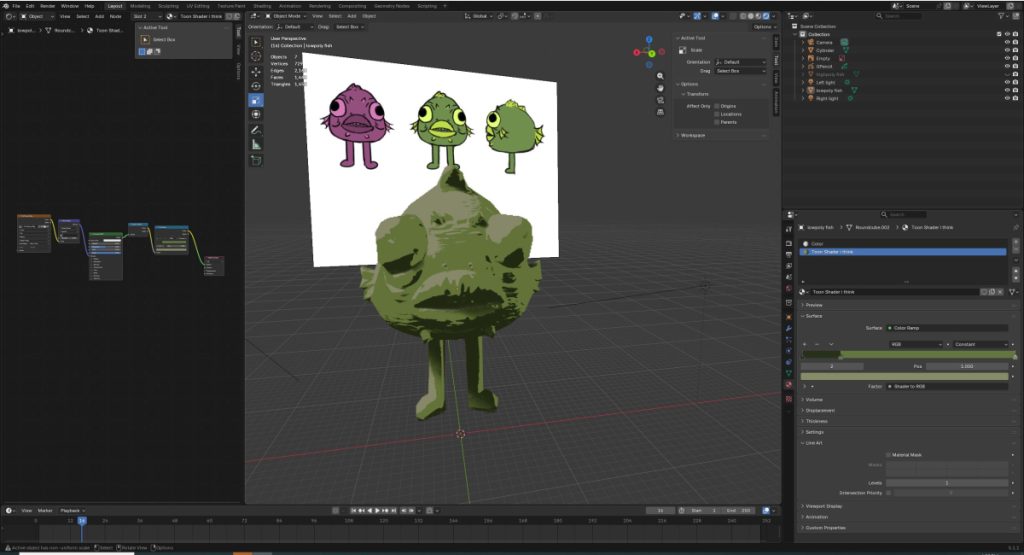
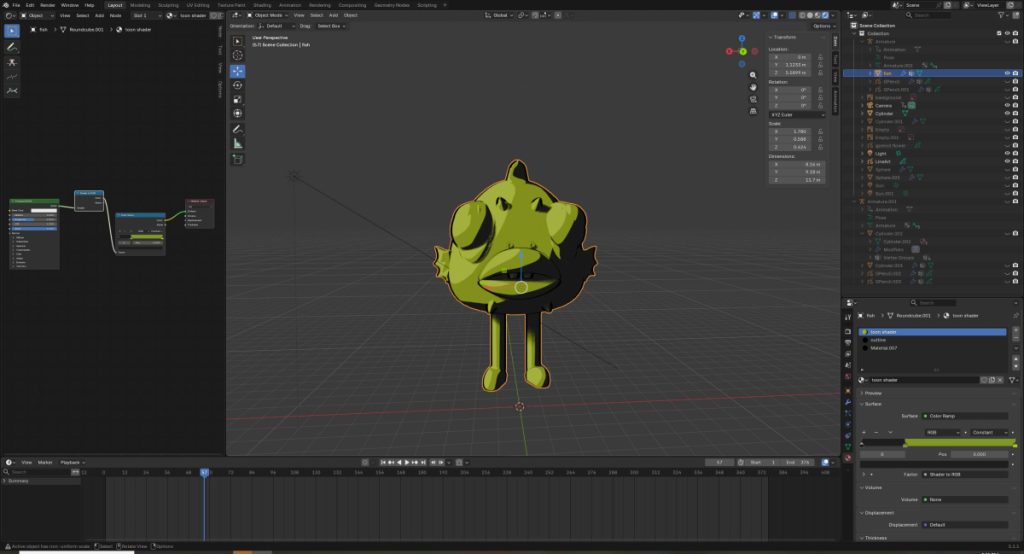
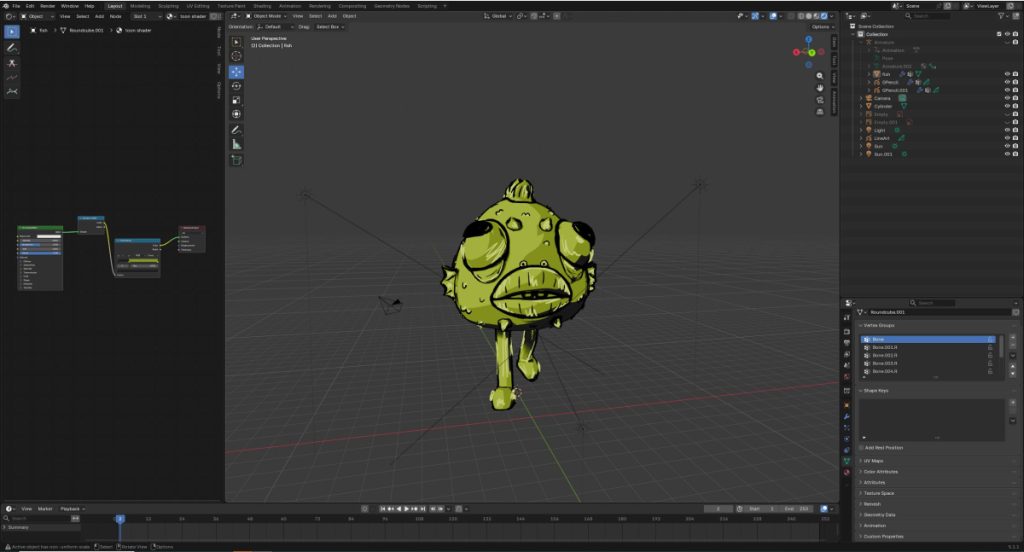
Now it was time to move on to the best part: using the Grease Pencil tool. It was fairly simple, you just add a Grease Pencil layer, set the drawing setting to “surface,” and begin drawing. But very soon, I learned it’s harder than it seemed. You draw on the model, but based on the camera angle, it was much farther from where it initially appeared to be on the model. It was very hard to get clean lines, and I struggled with it for a long time. I tried to auto-generate line art around the edges, but the mesh was too complicated and messy for Blender to do that. I spent a lot longer than anticipated struggling with Grease Pencil. In the end, I decided to embrace the shaky, uneven lines and draw on him to make Jeremy appear like he drawn by a kindergartner. I made the lines thicker and messier, creating a scribbly look. I was happy with this version much more than when I was aiming for clean lines, and I think it makes Jeremy look like he was suffering even more.

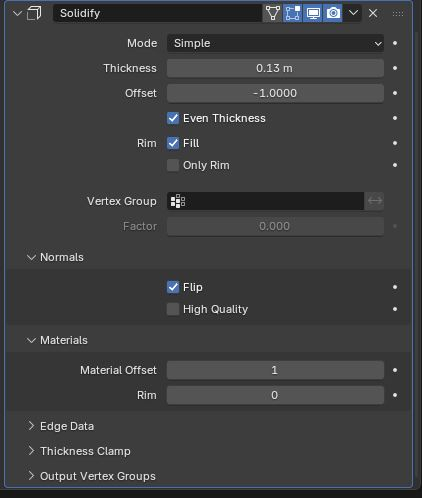
Once I finished with the manual Grease Pencil outlines, I added a solidify modifier. Once some setting were changed, this added line art around the silhouette of Jeremy that always appeared around him, no matter what angle you viewed him from. Grease Pencil lines stay fixed on a certain point, so if you viewed him from a different angle, the line would also move with him. But this modifier gave him line art on the rounded edges that I couldn’t have fixed lines around.
Animating
Once the model was done, I moved onto rigging. Rigging is the process of adding a skeleton to the model so it has functional and animatable joints. After adding a simple skeleton, I needed to weight paint the model. Basically, this sticks different parts of the model’s mesh to individual bones so each part moves when and where it’s supposed to.

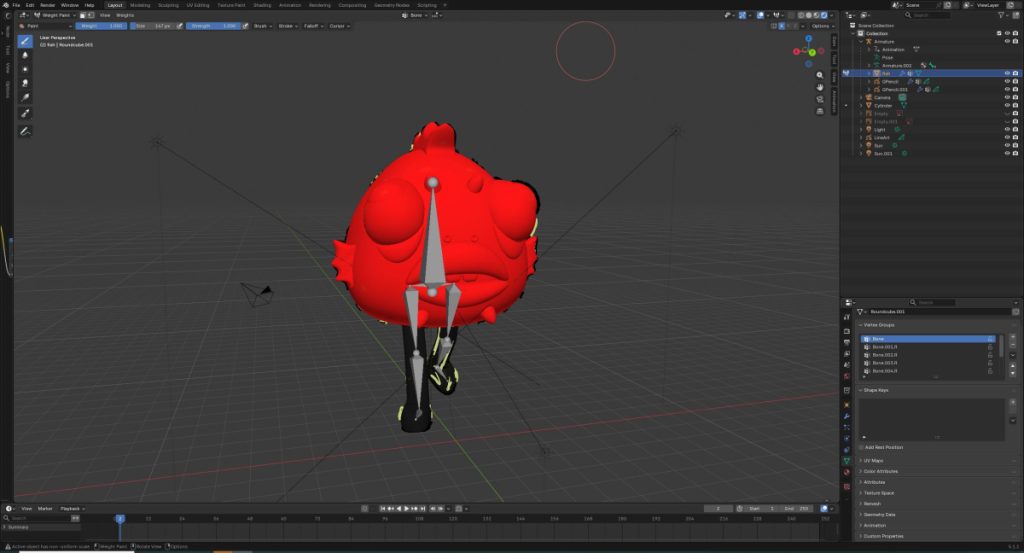
By the time I finished rigging, the six weeks we had for the project was almost up; I knew I wouldn’t have enough time to animate everything in my original storyboards, especially with the business of finals and AP exams. I started with just a walk cycle. That was simple and took less than an hour, so after considering my limited time, I decided what to cut from the storyboards. I cut the ice cream, and the ball parts. Now, Jeremy would just be kicked off of a cliff. After blocking out timing and spacing, I created a simple 2D background. Then it was time to animate the camera movement, which was done just like the model. I had the camera follow Jeremy for the most part, using two views to make sure the positioning was correct.


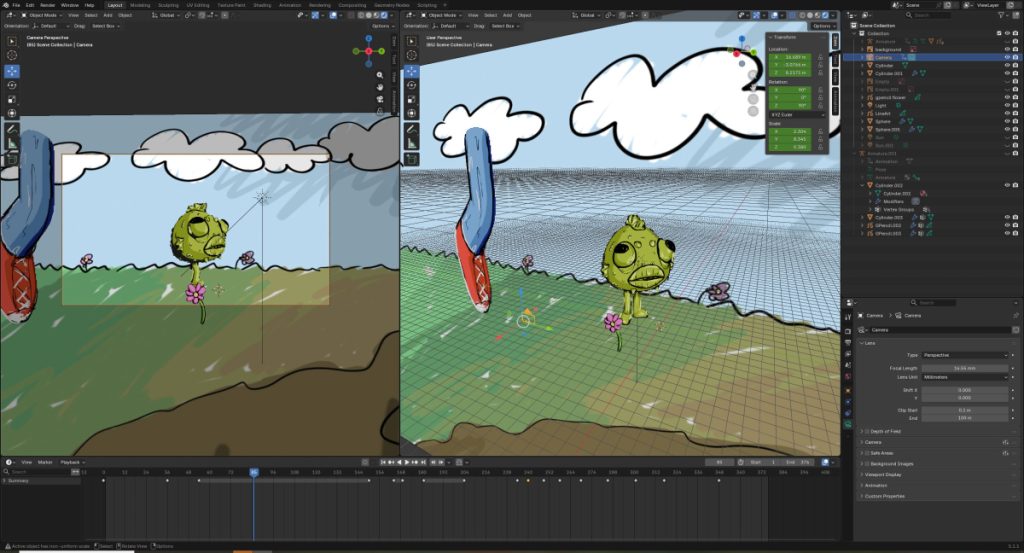
Finally, I rendered an image sequence, which is individual frames as opposed to a video. I uploaded this to Adobe After Effects, which automatically converted the sequence into a video. After adding sound effects, music, and a title plus credit screen, the animation was complete!

Final Animation
At last, the final animation was done! There was definitely a learning curve to Blender, especially the Grease Pencil tool. Even though I had some of these hiccups, I’m proud of how the completed animation turned out.
Presentation
Zenith Reflection
To be honest, I was so tired by the end of Senior year. I knew for this final project, I wanted to make a simpler animation, but still be a work I feel passionate about working on. So, I decided to experiment with Blender’s Grease Pencil tool for 3D animation, and bring back an old 3D that I could expand upon. Grease Pencil is something I’ve wanted to try for a while, and now was the perfect opportunity. This tool is basically drawing 2D lines on a 3D object, and if used correctly, can make the 3D model appear 2D. This was still a fairly simple and stress free task too; I already knew the basics of 3D and 2D animation, so I wasn’t learning a completely new skill. I also included a lot of humor, which lightened my mood while working on the whole project and actually made it fun for me. I brought back a model from a previous project that I struggled with a lot, and tried to turn it into something I was actually happy with.
I already had some prior knowledge of using Blender, so starting this project wasn’t too difficult. The hardest part by far was figuring out the Grease Pencil tool. It was hard to manage the 2D lines in a 3D space, because if you change the camera angle after drawing a line, the line appears to shift. Basically, it was hard to get the line in the right spot and find the right angle to draw it. Even though I struggled, I decided to embrace the unpredictability of it. I made the style messier than what I initially intended, and tried to make the model look like it was drawn by a little kid. I ended up really liking this style too, and will definitely use creative improvising like this in future projects.
If I were to go back and change anything, I would spend less time trying to perfect Grease Pencil so I had more time to animate. I ended up cutting a lot from my original storyboards, and although the final storyline still works, I think it would be a lot more fun to be able to animate the entire thing.
Overall, this project turned out to be extremely fun for me to do. I loved reworking an old model I originally hated, and building upon my 3D modeling skills by adding 2D elements. This was a valuable experience to end off my Senior year with, and I’m very grateful to be able to do and share this work with Freestyle Academy and the rest of the world before graduation.
Huge thank you to Freestyle Academy for making this presentation (and this website) possible! Thank you for these past two years!