Art Curation for Personal Museum
In the art curation assignment, we went on a field trip to the SF MOMA to find 3 pieces of artwork that we think reflected our taste, and to find 2 pieces of artwork that didn’t. What matters to me in artwork is visual appeal, if the artwork doesn’t grasp me with its vivid colors or interesting idea behind it, I’m not interested. As a musician I favor more abstract artworks that bring the viewer into the realm of the artwork, similar to how I bring audiences closer to my music.
3 Pieces I would ADD


2 art pieces I would EXCLUDE from my personal Museum


My Personal Mandalas
If the images do not display below,
On a Mac, press Command + (plus) then press press Command – (minus)
On a PC, press the Ctrl + (plus) then press the Ctrl – (minus)
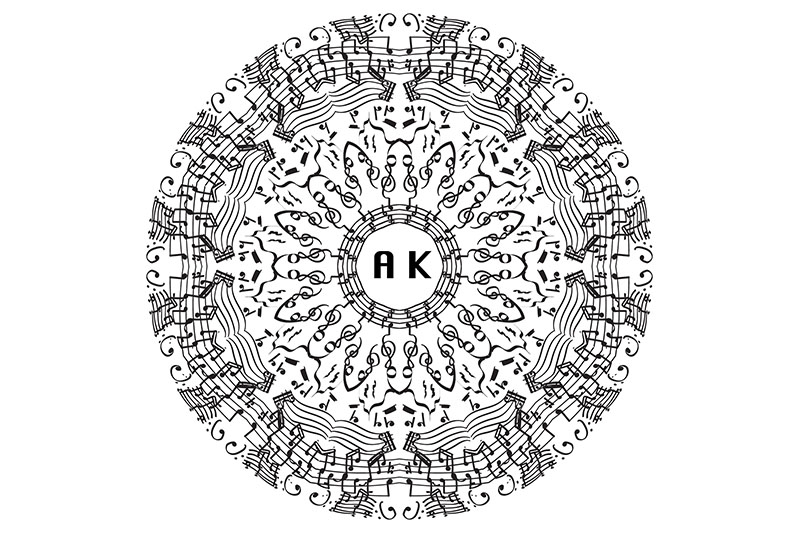

For my mandala, I decided to center the theme around music as I am a pianist. For this piece, I first envisioned music symbols which resemble repeating patterns. I often used the technique of starting designs close the center with more larger and visible patterns, so the viewer doesn’t get dizzy. This technique was important as I wanted to create a mandala which could convey its message properly.
This piece includes my values in music as represented by the rests, treble clefs, bass clefs, sheet music, and music notes. In addition, the various types of rests I included in my Mandala represent the need for me to take breaks when I’m practicing the piano, and to do things in moderation. Some easter eggs I included in my Mandala would on the 2nd outer ring, which was the first bar of Carl Vine’s piano sonata no.1, which is a musical piece I aspire to play one day. Using drawing tablets and pressure sensitive digital brushes was challenging as I had to gauge the exact amount of pressure to apply with my fingers. Through adjusting pressure sensitivity, I was able to get my desired brushstrokes. Before this project, I only drew digitally using the Wacom Cintiq in animation, which was easier than the Wacom pen since it was directly on the screen. After this project, I now know multiple ways of digital drawing, as well as refining my technical skills in Illustrator through mastering clipping masks and creating 8,10,12,16 sliced Mandala templates.
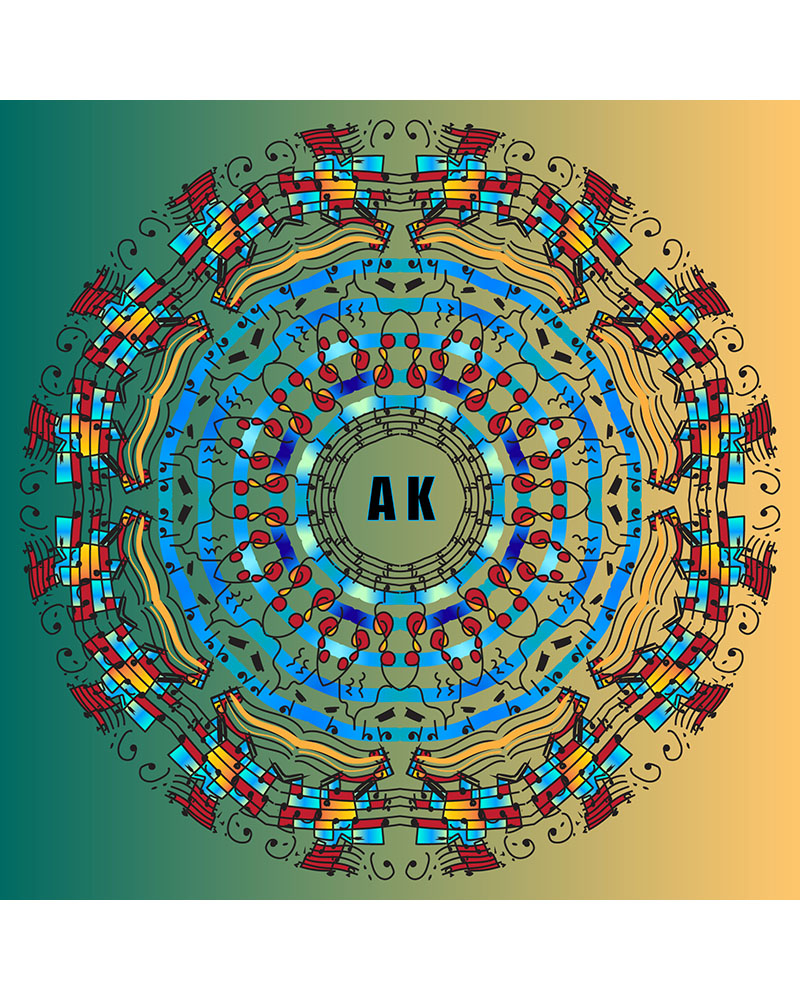
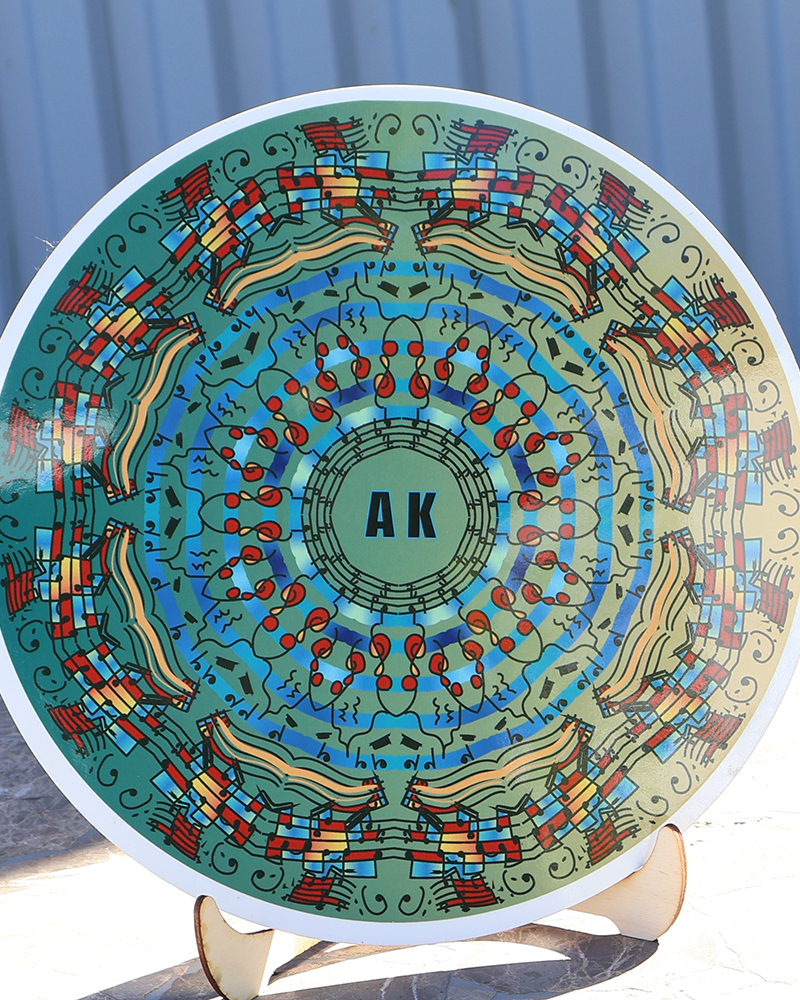
For this piece, I first came up with symbols that represented me as a pianist. I included music clefs, notes, rests, and my initials engraved in the center. With the help of colors, I added rings of gradients, background colors, and making my notes stand out with bright red. This is different compared to my black and white mandala since I was able to highlight different symbols using various colors.
The color scheme in my piece represents how I feel when I’m playing the piano. The color orange is associated with feeling calm, while red and blue are more excited or nervous feelings. I added many gradients of orange to show that one feeling I have when I play never stays the same, instead it constantly fluctuates as the music progresses. Working with color changed my artistic technique and workflow as illustrator has a wide range of colors to offer. Using my artistic eye and knowledge of color palettes, I made the center gradient rings blue to attract the viewer towards the center, while the outer colors are more orange-red to show calmness. Compared to only using black strokes, I needed to redraw many lines in order for the paint bucket tool to work. Thus, my workflow was focused more on finding connected lines and adding more lines that didn’t disrupt my main piece.
Animation
Skull Model
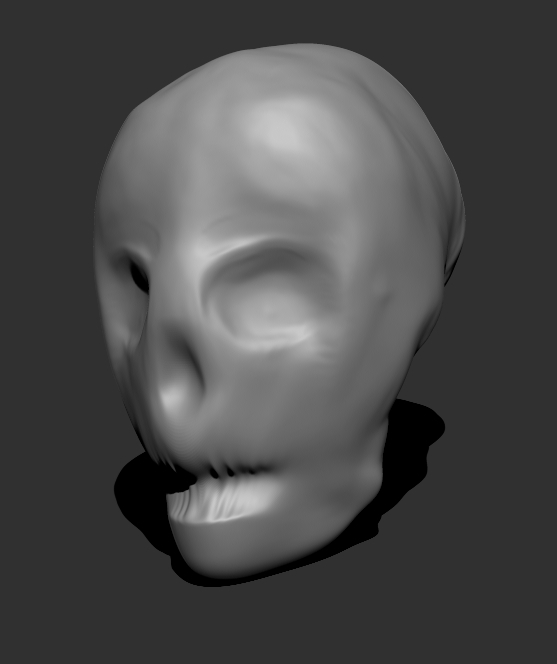
This was our first project we did with Zbrush. We started out with a simple sphere, and slowly sculpted out details to bring the face to life.
Head model

This was our second Zbrush project, where we had to turn our skills making the skull into an actual head. Through using tools like the move brush and Damian fine standard brush, I was able to carve out ears, eyes, and detailed pupils.
Table scene model

In Autodesk maya, we created a simple model chair and table layout. This model was later converted into Zbrush for detailing, where I added details like making the table into wooden logs and also carving out textures on the table using Zbrush Alphas, or custom imported textures.
Game weapon model

For the game weapon model, we had to create a melee weapon using Maya and Zbrush. Using custom textures from alphas as well as sculpting tools in Zbrush, I was able to carve out the intricate textures on my blade and sculpt out a skull on the handle of the sword.
Character model


The character model was our final project, and was later rigged to be used to animate in Maya. I spent the majority of the time trying to sculpt out the sweater texture in Zbrush, using the move tool to gradually create every crease on the sweater. After the Zbrush phase, we imported the character into Adobe substance painter, where the character was coated in painted textures. Using my skills in masking, I added layers of textures to replicate the texture of jeans and a winter sweater.
Overall, the reflections unit in animation has taught me how to use software like Zbrush, Maya, and Substance painter which I hope to incorporate in future projects, like making 3D animations of my piano playing.